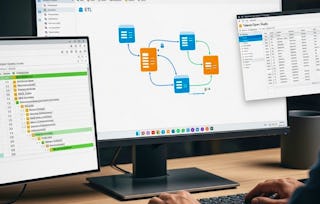
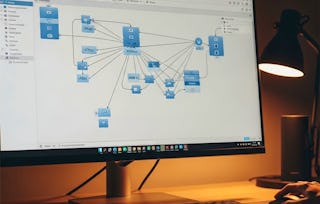
By the end of this course, learners will be able to design, implement, and optimize SQL Server Integration Services (SSIS) packages for real-world data warehousing and ETL needs. They will apply core transformations such as conditional splits, lookups, merges, and aggregations; analyze datasets using pivoting, fuzzy logic, and text mining; and automate workflows with loops, file system tasks, and advanced SQL integration.
This comprehensive program blends foundational concepts with advanced techniques, guiding learners step by step from basic package creation to complex ETL pipelines. Each module provides hands-on, scenario-based practice, ensuring learners not only understand the theory but also gain practical skills to solve data challenges in business environments.
What makes this course unique is its structured progression: it starts with beginner-friendly lessons, gradually builds toward advanced data flows, and culminates in enterprise-grade automation. With carefully designed practice quizzes, graded assessments, and clearly defined learning objectives, this course equips learners to evaluate, integrate, and deploy SSIS solutions confidently in professional settings.
Inclus
7 vidéos4 devoirs
Afficher les informations sur le contenu du module
7 vidéos•Total 59 minutes
Introduction to SSIS•2 minutes
How to Open SSIS and SSMS•13 minutes
Connection Manager•12 minutes
Data Flow Task•11 minutes
Basic Sql Task•5 minutes
Advance Execute Sql Task•8 minutes
Multicast•8 minutes
4 devoirs•Total 60 minutes
Graded - Getting Started with SSIS•30 minutes
First Steps in SSIS•10 minutes
Building the Foundation•10 minutes
Smarter SQL Tasks•10 minutes
Core Data Transformations
Module 2•2 heures à terminer
Détails du module
Inclus
9 vidéos4 devoirs
Afficher les informations sur le contenu du module
9 vidéos•Total 67 minutes
Conditional Spilt•10 minutes
Conditional Spilt Continue•4 minutes
Data Conversion•6 minutes
Derived Column•5 minutes
Lookup Transformation•10 minutes
Sort•6 minutes
Merge•11 minutes
Merge Join Indept•8 minutes
Merge Join Indept Continue•8 minutes
4 devoirs•Total 60 minutes
Core Data Transformations•30 minutes
Splitting and Branching Data•10 minutes
Essential Transformations•10 minutes
Sorting and Merging•10 minutes
Expanding ETL Capabilities
Module 3•2 heures à terminer
Détails du module
Inclus
10 vidéos4 devoirs
Afficher les informations sur le contenu du module
10 vidéos•Total 64 minutes
Row count and Scripts Component•11 minutes
Introduction to SSIS•4 minutes
More Details On SSIS•10 minutes
Use of Aggregate Data Transformantion Support•6 minutes
How To Use Count And Countdistinct•5 minutes
Going to Learn Database to Database Transformantion•5 minutes
How to Input a Data from Database to Text•6 minutes
Going to Learn Groupby Function•4 minutes
Using Maxmin and Sum Function•8 minutes
Audit•6 minutes
4 devoirs•Total 60 minutes
Graded - Expanding ETL Capabilities•30 minutes
Advanced Components•10 minutes
Aggregations and Grouping•10 minutes
Data Calculations in Action•10 minutes
Working with Complex Data Flows
Module 4•3 heures à terminer
Détails du module
Inclus
15 vidéos4 devoirs
Afficher les informations sur le contenu du module
15 vidéos•Total 104 minutes
How to use Copy Column•5 minutes
How to use Data Conversion•6 minutes
How to use Derived Column•9 minutes
How to use Lowerto Upper•5 minutes
How to use Upper to Lower•5 minutes
Excel to Database Transfer•4 minutes
Oledb to Excel Transfer•4 minutes
Conditional Split•9 minutes
Merge•11 minutes
Merge Join•10 minutes
Merge Using Sort•8 minutes
Multicast•9 minutes
Sort•6 minutes
Sort- Remove Duplicate•5 minutes
Union All•7 minutes
4 devoirs•Total 60 minutes
Graded - Working with Complex Data Flows•30 minutes
Column Manipulations•10 minutes
File and Data Transfers•10 minutes
Sorting, Sampling, and Unions•10 minutes
Advanced SSIS Techniques
Module 5•4 heures à terminer
Détails du module
Inclus
20 vidéos4 devoirs
Afficher les informations sur le contenu du module
20 vidéos•Total 152 minutes
How to use Data Viewer Using Column•4 minutes
How to use Data Viewer Using Grid•10 minutes
How to use Data Viewer Using Histogram•5 minutes
How to use Data viewer Using Scatter•4 minutes
How to use Fuzzy Grouping•7 minutes
How to use Fuzzy Lookup•8 minutes
How to use Lookup Transformation•11 minutes
How to use Percentage Sampling•7 minutes
How to use Pivot Data Transformation•7 minutes
How to use Row sampling•7 minutes
How to use Term Extraction•9 minutes
How to use Term Lookup•10 minutes
How to use Unpivot•8 minutes
How to use Create Delete Tableusing Execute SQLTask•10 minutes
How to use Execute SQLTask•5 minutes
Praticals on Execute SQL Task•8 minutes
How to use File System Task•11 minutes
How to use Foreachloop•7 minutes
More Details on Foreachloop•6 minutes
How to use For Loop Container•10 minutes
4 devoirs•Total 60 minutes
Graded - Advanced SSIS Techniques•30 minutes
Untitled•10 minutes
Sampling, Pivoting, and Text Mining•10 minutes
Automation and Control Flow•10 minutes
Instructeur
Évaluations de l’enseignant
Nous avons demandé à tous les étudiants de fournir des commentaires sur nos enseignants au sujet de la qualité de leur pédagogie.
Welcome to EDUCBA, a place where knowledge is limitless! We provide a wide selection of instructive and engaging programmes designed to empower students of all ages and experiences. From the convenience of your home, start a revolutionary educational experience with our cutting-edge technologies courses and experienced instructors.
Pour quelles raisons les étudiants sur Coursera nous choisissent-ils pour leur carrière ?
Felipe M.
Étudiant(e) depuis 2018
’Pouvoir suivre des cours à mon rythme à été une expérience extraordinaire. Je peux apprendre chaque fois que mon emploi du temps me le permet et en fonction de mon humeur.’
Jennifer J.
Étudiant(e) depuis 2020
’J'ai directement appliqué les concepts et les compétences que j'ai appris de mes cours à un nouveau projet passionnant au travail.’
Larry W.
Étudiant(e) depuis 2021
’Lorsque j'ai besoin de cours sur des sujets que mon université ne propose pas, Coursera est l'un des meilleurs endroits où se rendre.’
Chaitanya A.
’Apprendre, ce n'est pas seulement s'améliorer dans son travail : c'est bien plus que cela. Coursera me permet d'apprendre sans limites.’
Avis des étudiants
4.6
17 avis
5 stars
82,35 %
4 stars
5,88 %
3 stars
5,88 %
2 stars
0 %
1 star
5,88 %
Affichage de 3 sur 17
A
AV
5·
Révisé le 20 mars 2026
Simple explanations with real examples. Improved my SSIS and ETL knowledge.
When will I have access to the lectures and assignments?
To access the course materials, assignments and to earn a Certificate, you will need to purchase the Certificate experience when you enroll in a course. You can try a Free Trial instead, or apply for Financial Aid. The course may offer 'Full Course, No Certificate' instead. This option lets you see all course materials, submit required assessments, and get a final grade. This also means that you will not be able to purchase a Certificate experience.
What will I get if I purchase the Certificate?
When you purchase a Certificate you get access to all course materials, including graded assignments. Upon completing the course, your electronic Certificate will be added to your Accomplishments page - from there, you can print your Certificate or add it to your LinkedIn profile.
Is financial aid available?
Yes. In select learning programs, you can apply for financial aid or a scholarship if you can’t afford the enrollment fee. If fin aid or scholarship is available for your learning program selection, you’ll find a link to apply on the description page.