When you enroll in this course, you'll also be enrolled in this Specialization.
Learn new concepts from industry experts
Gain a foundational understanding of a subject or tool
Develop job-relevant skills with hands-on projects
Earn a shareable career certificate
There are 2 modules in this course
By the end of this course, learners will be able to analyze employee performance data, calculate performance-based increments, build and refine Pivot Tables, compare results across departments and locations, and evaluate budget deviations to support data-driven decisions.
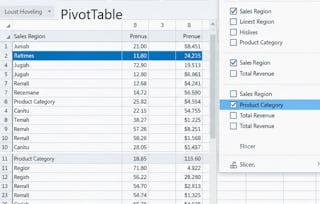
This course provides a practical, hands-on case study focused on employee performance ratings, designed to help learners move beyond basic Excel functions into real-world analytical thinking. Learners will begin by understanding and preparing a structured dataset, applying formulas to compute performance metrics, and visualizing data relationships. The course then guides learners through constructing Pivot Tables to answer business questions, perform comparative analysis, and uncover meaningful performance trends.
What makes this course unique is its end-to-end, scenario-based approach. Instead of isolated Excel features, learners work through a single, coherent business case that mirrors real workplace analysis. Each step builds progressively, reinforcing analytical skills and practical problem-solving.
Upon completion, learners will gain job-relevant Excel skills, improved confidence in performance analysis, and the ability to transform raw HR data into actionable insights—skills directly applicable to roles in business analysis, HR analytics, and operations.
This module introduces learners to the employee performance dataset and foundational Excel concepts, enabling them to prepare, understand, and structure data effectively for accurate Pivot Table–based analysis.
What's included
4 videos3 assignments
Show info about module content
4 videos•Total 18 minutes
Introduction to Excel Smart Arts and Graphics•4 minutes
Data Intro•4 minutes
Increment Calculation•6 minutes
Creating Pivot Table for Performance Analysis•5 minutes
3 assignments•Total 50 minutes
Visualizing and Understanding the Dataset•10 minutes
Preparing Metrics for Analysis•10 minutes
Foundations of the Employee Performance Case Study•30 minutes
Performance Analysis Using Pivot Tables
Module 2•2 hours to complete
Module details
This module focuses on applying Pivot Tables to evaluate employee performance, compare results across departments and locations, analyze budget deviations, and derive actionable business insights.
What's included
6 videos4 assignments
Show info about module content
6 videos•Total 49 minutes
Enhancing Pivot Table with Calculations•8 minutes
Department-wise Performance Summary•10 minutes
Location-wise Performance Comparison•10 minutes
Budget vs Actual Performance Analysis•7 minutes
Filtering and Refining Budget Analysis•8 minutes
Final Performance Insights Using Pivot Tables•6 minutes
4 assignments•Total 60 minutes
Deep Dive into Performance Questions•10 minutes
Comparative and Trend-Based Analysis•10 minutes
Advanced Insights and Final Evaluation•10 minutes
Performance Analysis Using Pivot Tables•30 minutes
Earn a career certificate
Add this credential to your LinkedIn profile, resume, or CV. Share it on social media and in your performance review.
Welcome to EDUCBA, a place where knowledge is limitless! We provide a wide selection of instructive and engaging programmes designed to empower students of all ages and experiences. From the convenience of your home, start a revolutionary educational experience with our cutting-edge technologies courses and experienced instructors.
When will I have access to the lectures and assignments?
To access the course materials, assignments and to earn a Certificate, you will need to purchase the Certificate experience when you enroll in a course. You can try a Free Trial instead, or apply for Financial Aid. The course may offer 'Full Course, No Certificate' instead. This option lets you see all course materials, submit required assessments, and get a final grade. This also means that you will not be able to purchase a Certificate experience.
What will I get if I subscribe to this Specialization?
When you enroll in the course, you get access to all of the courses in the Specialization, and you earn a certificate when you complete the work. Your electronic Certificate will be added to your Accomplishments page - from there, you can print your Certificate or add it to your LinkedIn profile.
Is financial aid available?
Yes. In select learning programs, you can apply for financial aid or a scholarship if you can’t afford the enrollment fee. If fin aid or scholarship is available for your learning program selection, you’ll find a link to apply on the description page.