When you enroll in this course, you'll also be enrolled in this Professional Certificate.
Learn new concepts from industry experts
Gain a foundational understanding of a subject or tool
Develop job-relevant skills with hands-on projects
Earn a shareable career certificate from Coursera
There are 9 modules in this course
This long course equips you with the administrative and configuration skills needed to tailor Jira to team processes, automate repetitive tasks, and maintain governance at scale. Topics cover setting up new projects using standard schemes, creating reusable workflow schemes, and evaluating and applying board configurations to improve stakeholder visibility. You will practice designing workflows, adding custom statuses, and creating validators and conditions to enforce process gates. The course includes configuration performance considerations—assessing the impact of custom fields—and guides learners through prototyping lightweight UI extensions and choosing marketplace apps through structured due diligence. A practical emphasis on automation teaches building no-code automation rules, debugging and optimizing rule execution, and designing global synchronization automations to keep multiple systems in sync. By the end, you will be able to deploy shared schemes; model operational processes in Jira; and measure the performance and ROI of automation initiatives that reduce manual effort and improve reliability.
Struggling with inconsistent and confusing Jira projects? The "Jira Project Configuration and Visibility" module is for you. Designed for IT and project professionals, it teaches you to build clean, standardized, and visible Jira environments. You will learn to apply shared schemes for permissions and notifications to enforce consistency across all projects. You will also master optimizing board configurations to provide crystal-clear visibility for every stakeholder, from testers to executives. Move beyond basic setup and learn to design Jira environments that drive clarity, efficiency, and alignment throughout your organization.
What's included
4 videos3 readings3 assignments
Show info about module content
4 videos•Total 25 minutes
What are Shared Schemes? The Pillars of Jira Governance•8 minutes
How to Apply Shared Permission and Notification Schemes•5 minutes
When Stakeholders Can't See the Work: The Atlassian Creative Studio Story•6 minutes
How to Redesign a Board: Swimlanes and Quick Filters•7 minutes
3 readings•Total 18 minutes
A Blueprint for Consistency: How to Use Jira for Modern Project Management•6 minutes
Troubleshooting Jira Boards: Why Can't I See My Issue?•6 minutes
From Migration to Clarity: The FAN Courier Case Study•6 minutes
3 assignments•Total 50 minutes
The Jira Project Configuration Toolkit•30 minutes
Knowledge Check: Standardizing Project Configurations for Governance and Consistency•10 minutes
Knowledge Check: Optimizing Board Configurations for Stakeholder Visibility•10 minutes
Evaluate Metrics, Craft Dashboards for Jira Mastery
Module 2•2 hours to complete
Module details
Struggling to interpret project data or communicate progress effectively to leadership? "Evaluate Metrics, Craft Dashboards for Jira Mastery" is your guide to transforming raw Jira data into clear, compelling insights. This module teaches project managers and team leads to analyze key agile metrics, such as velocity and cycle time, to spot workflow issues. You will master designing effective Jira dashboards with the right KPIs, giving executives actionable visibility into project health. By the end, you will measure performance with precision and communicate it with confidence, driving alignment and continuous improvement across your organization.
What's included
2 videos3 readings3 assignments
Show info about module content
2 videos•Total 14 minutes
The 30-Slide Status Deck: A Story of Wasted Time•7 minutes
What are Velocity and Cycle Time?•7 minutes
3 readings•Total 22 minutes
Top Performance Metrics for Agile Teams•6 minutes
Principles of Effective Management Dashboards•8 minutes
How to Build an Executive Dashboard in Jira•8 minutes
3 assignments•Total 55 minutes
The Agile Performance Dashboard Project•30 minutes
Knowledge Check: Metrics and Dashboards•5 minutes
Analyzing Team Performance: Velocity and Control Charts•20 minutes
Jira: Map, Analyze, and Release
Module 3•2 hours to complete
Module details
"Jira: Map, Analyze, and Release" is a beginner's module for agile leaders, such as project managers and scrum masters. It teaches strategic release planning and continuous improvement. You will master story mapping to break down complex initiatives into clear, value-driven releases. You'll also learn to analyze quantitative data from sprint retrospectives to identify hidden team impediments. By the end, you will be equipped to facilitate workshops, use data to identify the root causes of challenges, and build a powerful feedback loop, thereby fostering a culture of predictable delivery and continuous improvement.
What's included
4 videos2 readings4 assignments
Show info about module content
4 videos•Total 22 minutes
The Power of a Clear Roadmap•5 minutes
Building Your First Story Map in Jira•6 minutes
Uncovering Hidden Roadblocks in Your Sprints•5 minutes
Exporting and Visualizing Retrospective Data from Jira•6 minutes
2 readings•Total 16 minutes
The Anatomy of a Story Map•6 minutes
From Data to Decisions: Understanding Retrospective Metrics•10 minutes
4 assignments•Total 60 minutes
Story Mapping and Retrospective Insights Project•30 minutes
Hands-On Learning: Mini-Map Your Daily Routine•10 minutes
Knowledge Check: Story Mapping Fundamentals•10 minutes
Is your backlog a chaotic mess? "Optimize Backlogs and Jira Readiness" is a beginner-friendly module for agile teams that transforms your backlog into a strategic asset. You'll learn to use agile metrics to assess your backlog’s health and identify risks. The module focuses on mastering the Definition of Ready (DoR), a quality gate that stops incomplete work from derailing your sprints. You will design and implement a DoR checklist in Jira, thereby automating quality enforcement. This facilitates streamlined sprint planning, reduced rework, and a sustainable culture of preparedness for your team.
What's included
2 videos4 readings4 assignments
Show info about module content
2 videos•Total 11 minutes
The True Cost of a Cluttered Backlog•6 minutes
The Sprint Planning Meltdown•5 minutes
4 readings•Total 29 minutes
Key Metrics for Backlog Health•7 minutes
A Guide to Backlog Analysis•7 minutes
What is a Definition of Ready?•8 minutes
Creating Your Definition of Ready (DoR) Checklist•7 minutes
4 assignments•Total 55 minutes
The Backlog Optimization Toolkit•30 minutes
Knowledge Check: Backlog Metrics•5 minutes
The Backlog Health Assessment•15 minutes
Knowledge Check: Building a Definition of Ready (DoR)•5 minutes
Streamline Jira Workflows, Analyze Bottlenecks Fast
Module 5•2 hours to complete
Module details
"Streamline Jira Workflows, Analyze Bottlenecks Fast" is a beginner's module for IT and project professionals focused on process optimization. You will learn to build custom workflows in Jira that match your team's actual processes. The module teaches you to export usage reports and analyze data to find hidden bottlenecks and diagnose delays. Armed with this insight, you will develop data-driven recommendations to simplify and automate workflows. You will leave with the ability to use Jira as a powerful tool for continuous improvement, directly boosting your team’s productivity and speed.
What's included
4 videos3 readings3 assignments
Show info about module content
4 videos•Total 29 minutes
From Chaos to Clarity: Why Jira Workflows Matter•7 minutes
Building Your First Jira Workflow•9 minutes
The Hidden Cost of Delay: Finding Bottlenecks•6 minutes
Analyzing Workflow Data in Jira•6 minutes
3 readings•Total 24 minutes
Jira Workflows: The Core Components•8 minutes
Common Jira Workflow Mistakes and How to Fix Them•8 minutes
Using Jira Automation to Streamline Processes•8 minutes
3 assignments•Total 60 minutes
Analyze and Optimize the IT Support Workflow•30 minutes
Hands-On Learning: Build a Custom Workflow for a Software Bug Lifecycle•20 minutes
Do inconsistent Jira workflows stall your projects? This module, "Evaluate and Deploy Jira Workflow Schemes," offers project managers and IT professionals a clear path from chaos to control. You will learn to assess workflow designs for compliance, auditability, and user experience. The module guides you through creating and deploying reusable, scalable workflow schemes across active projects without causing disruption. Through hands-on exercises, you'll master building flexible, user-centric solutions. You'll leave equipped to implement standardized workflows that boost productivity, ensure governance, and drive project success.
What's included
2 videos2 readings5 assignments
Show info about module content
2 videos•Total 13 minutes
Evaluating Workflows: From Theory to Practice•6 minutes
Building Workflows: From a Success Story to a Sandbox•7 minutes
2 readings•Total 10 minutes
Key Criteria for Workflow Evaluation: Compliance, Audit, and UX•5 minutes
Anatomy of a Reusable Workflow Scheme•5 minutes
5 assignments•Total 80 minutes
Designing a Reusable Workflow Scheme•30 minutes
Hands-On Learning: Workflow Evaluation and Recommendation for Healthcare IT•10 minutes
Hands-On Learning: Design a Workflow for a Backend Project•10 minutes
Knowledge Check: Principles of Reusable Design•20 minutes
Automate Jira: Sync and Prove ROI
Module 7•2 hours to complete
Module details
Ready to turn your best ideas into reality? This module, "Automate Jira: Sync and Prove ROI," teaches you to build a data-driven business case for any automation project. You'll learn to quantify financial benefits, like saved labor, estimate the Total Cost of Ownership (TCO), and calculate a formal Return on Investment (ROI). Using a real-world Jira scenario, you'll create a persuasive report to secure stakeholder buy-in. By the end, you'll have a repeatable framework to justify and champion high-value automation projects, proving their worth to any business leader.
What's included
3 videos3 readings3 assignments
Show info about module content
3 videos•Total 20 minutes
The Real Cost of Doing Nothing•6 minutes
What are TCO and ROI?•7 minutes
How to Calculate ROI in a Spreadsheet?•7 minutes
3 readings•Total 26 minutes
The Two Sides of Value: Quantifying Benefits•9 minutes
Deconstructing TCO: From Licenses to Maintenance•9 minutes
The Human Factor: Forecasting User Adoption•8 minutes
3 assignments•Total 60 minutes
Full ROI Business Case Report•30 minutes
Hands-On Learning: Draft Cost-Benefit Analysis for Automating Time-Logging in Jira•20 minutes
Knowledge Check: Core Concepts Quiz•10 minutes
Jira Automation and App Selection
Module 8•1 hour to complete
Module details
"Jira Automation and App Selection" is a beginner's module for IT professionals and project managers seeking to optimize their Jira instance. You'll learn to solve common bottlenecks by safely automating bulk updates using REST API calls in Postman. This module also teaches a structured due diligence process, enabling you to confidently evaluate and select the best third-party apps from the marketplace. Through hands-on, real-world scenarios, you will build a practical toolkit and learn to defend your technical and strategic decisions to stakeholders, unlocking Jira's full potential.
What's included
3 videos4 readings3 assignments
Show info about module content
3 videos•Total 20 minutes
The Risk of Manual Updates: A Release Management Story•7 minutes
The Million-Dollar Mismatch: When Good Apps Go Bad•6 minutes
Anatomy of a Bulk Update API Call•7 minutes
4 readings•Total 28 minutes
Understanding the Jira REST API for Bulk Operations•7 minutes
Framework for App Evaluation and Scorecards•8 minutes
How-To Guide: Your First Bulk Update with Postman•6 minutes
How-To Guide: Evaluating Apps in the Marketplace•7 minutes
3 assignments•Total 40 minutes
The Automation and App Evaluation Toolkit•30 minutes
Knowledge Check: API Concepts and Verification•5 minutes
Knowledge Check: App Evaluation and Due Diligence•5 minutes
Automation Debugging
Module 9•3 hours to complete
Module details
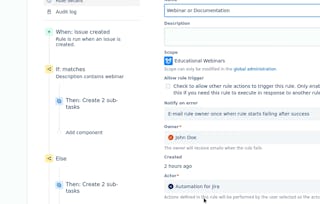
Automations are failing, creating project delays and errors. In this hands-on project, you will act as a Jira administrator to restore order. You will analyze rule execution logs to perform a root-cause analysis of failing and redundant processes. Your goal is to debug, consolidate, and optimize the automation rules, delivering a complete optimization package including an analysis report, a cleaned rule set, and a tested change plan. By documenting before-and-after performance metrics, you will prove your ability to solve complex automation problems and deliver measurable ROI by improving efficiency and restoring system reliability.
What's included
2 readings1 assignment
Show info about module content
2 readings•Total 14 minutes
Why This Project Matters•4 minutes
Your Project Blueprint: Requirements and Evaluation•10 minutes
1 assignment•Total 160 minutes
Project: Automation Debugging •160 minutes
Earn a career certificate
Add this credential to your LinkedIn profile, resume, or CV. Share it on social media and in your performance review.
Coursera brings together a diverse network of subject matter experts who have demonstrated their expertise through professional industry experience or strong academic backgrounds. These instructors design and teach courses that make practical, career-relevant skills accessible to learners worldwide.
What is Jira configuration and automation in this course?
In this course, Jira configuration and automation means shaping Jira so projects, workflows, boards, and rules reflect how a team actually works instead of relying on inconsistent defaults. The emphasis is on building reusable setups that improve visibility, enforce process gates, and keep administration manageable as work grows.
When would you use Jira configuration and automation?
You would use Jira configuration and automation when teams need clearer project structure, fewer repetitive updates, or more consistent ways of handling work across projects. The course treats it as a practical administration skill for standardizing schemes, modeling team processes, and making boards and rules easier for stakeholders to follow.
How does Jira configuration and automation fit into a broader workflow?
It sits in the middle of a broader Jira operating process: after you understand how work should flow, but before you depend on reports, dashboards, or synchronized updates at scale. In the course, configuration creates the structure first, and automation helps keep that structure consistent while you analyze logs and bottlenecks over time.
How is Jira configuration and automation different from managing Jira project by project with manual changes?
Jira configuration and automation is about designing shared structures and repeatable rules, not just editing one project whenever something breaks. Manual, project-by-project changes may solve a local problem, but they usually make permissions, workflows, notifications, and visibility harder to keep consistent.
Do you need any prerequisites before learning Jira configuration and automation?
A basic familiarity with Jira and team workflows is helpful, but the course is beginner level and does not assume deep administration experience. What matters more is being able to follow process logic, compare setup choices, and troubleshoot changes carefully.
What tools, platforms, or methods are used in this course?
The main platform is Jira. The course mainly works through shared configuration schemes and no-code automation rules to show how Jira can be structured and maintained more consistently.
What specific tasks will you practice or complete in this course?
You practice setting up projects with shared schemes, designing workflows with custom statuses and process gates, configuring boards for clearer stakeholder views, and building or debugging automation rules. You also review workflow and rule behavior to spot bottlenecks, reduce redundant actions, and make Jira setups easier to reuse across teams.