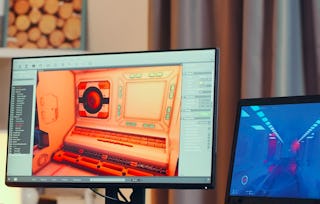
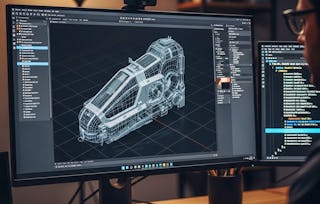
Computer graphics can be a powerful tool for supporting visual problem solving, and interactivity plays a central role in harnessing the users' creativity. This course will introduce various interactive tools developed in computer graphics research field with their design rationales and algorithms. Examples include enhancements to graphical user interfaces, authoring tools for 2D drawings and 3D animations, and interactive computer-aided design systems. Rich live demonstrations and course assignments will give you insights and skills to design and implement such tools for your own problems.
Graphical user interfaces transform control problems into visual solutions. This module introduces five methods to enhance GUI operations, including scrolling, desktop icon management, large display pointing, digital inking, and vocal interaction. You will learn to improve user interface design for practical applications.
What's included
7 videos4 readings6 assignments
Show info about module content
7 videos•Total 57 minutes
Course Preview•2 minutes
Introduction•5 minutes
1-1 Scrolling Interface•11 minutes
1-2 Desktop Icons•8 minutes
1-3 Pointing•6 minutes
1-4 Digital Ink•12 minutes
1-5 Voice Interaction•12 minutes
4 readings•Total 40 minutes
Course Description•10 minutes
Syllabus•10 minutes
Course FAQs•10 minutes
Problems when running Java Application / Java Applet•10 minutes
6 assignments•Total 90 minutes
Graphical User Interfaces •30 minutes
Scrolling Interface •12 minutes
Desktop Icons •12 minutes
Pointing •12 minutes
Digital Ink •12 minutes
Voice Interaction •12 minutes
2D Drawing & Animation
Module 2•3 hours to complete
Module details
This module covers techniques for authoring 2D drawings and animations. Topics include interactive diagram beautification, pen-and-ink texture synthesis, shape manipulation, and dynamic illustrations. Understand how interactive software streamlines drawing tasks, making creative graphic design more efficient.
What's included
4 videos5 assignments
Show info about module content
4 videos•Total 44 minutes
2-1 Diagram Beautification•10 minutes
2-2 Pen-and-ink Textures•10 minutes
2-3 Shape Manipulation•14 minutes
2-4 Dynamic Illustrations•10 minutes
5 assignments•Total 150 minutes
2D Drawings and Animations •30 minutes
Diagram Beautification •30 minutes
Pen-and-ink Textures •30 minutes
Shape Manipulation •30 minutes
Dynamic Illustrations •30 minutes
3D Geometric Modeling
Module 3•4 hours to complete
Module details
Building on 2D concepts, this module covers 3D geometric modeling methods. Topics include suggestive interfaces for architectural models, sketch-based modeling for freeform shapes, curve-based shape control, flower modeling, and volumetric texture. Learn to model 3D objects efficiently using specialized 2D user interfaces.
What's included
5 videos6 assignments
Show info about module content
5 videos•Total 55 minutes
3-1 Suggestive Interface•9 minutes
3-2 Sketch-based Modeling•15 minutes
3-3 Shape Control by Curves•10 minutes
3-4 Flower Modeling•10 minutes
3-5 Volumetric Textures•11 minutes
6 assignments•Total 160 minutes
3D Geometric Modeling•30 minutes
Suggestive Interface •30 minutes
Sketch-based Modeling •30 minutes
Shape Control by Curves •10 minutes
Flower Modeling •30 minutes
Volumetric Textures •30 minutes
Deformation & Animation
Module 4•4 hours to complete
Module details
This module shifts focus to simulating and crafting real objects and movements. Topics include clothing manipulation, layer operations for deformable objects, spatial keyframing for character animations, procedural deformation, and human motion visualization. Understand how deformation and animation techniques reproduce complex objects and motions visually.
What's included
5 videos6 assignments
Show info about module content
5 videos•Total 62 minutes
4-1 Clothing Manipulations•14 minutes
4-2 Layer Operations•13 minutes
4-3 Spatial Key Framing•11 minutes
4-4 Procedural Deformation•13 minutes
4-5 Motion Database•10 minutes
6 assignments•Total 180 minutes
Deformation and Animation•30 minutes
Clothing Manipulations •30 minutes
Layer Operations •30 minutes
Spatial Key Framing •30 minutes
Procedural Deformation •30 minutes
Motion Database •30 minutes
Digital Fabrication
Module 5•4 hours to complete
Module details
This module covers systems supporting personal fabrication. Topics include designing plush toys, beadworks, chairs, and softly folded objects. An interactive packing method is also presented. Gain skills in digital design for custom physical creations.
What's included
5 videos6 assignments
Show info about module content
5 videos•Total 49 minutes
5-1 Plush Toys•12 minutes
5-2 Beadworks•11 minutes
5-3 Chairs•10 minutes
5-4 Soft Folding•10 minutes
5-5 Interactive Packing•7 minutes
6 assignments•Total 180 minutes
Fabrication•30 minutes
Plush Toys •30 minutes
Beadworks •30 minutes
Chairs •30 minutes
Soft Folding •30 minutes
Interactive Packing •30 minutes
Computer-Aided Design
Module 6•4 hours to complete
Module details
Computers are essential for product design, mediating interaction between designers and products. This module covers computer-aided design with simultaneous physical simulation. Systems for designing cantilevers, musical instruments, garments, furniture, and gliders are introduced. Learn how real-time feedback improves product design outcomes.
What's included
5 videos6 assignments
Show info about module content
5 videos•Total 52 minutes
6-1 Cantilever•9 minutes
6-2 Musical Instruments•8 minutes
6-3 Garments•11 minutes
6-4 Furniture•13 minutes
6-5 Gliders•11 minutes
6 assignments•Total 180 minutes
Computer-aided Design•30 minutes
Cantilever •30 minutes
Musical Instruments •30 minutes
Garments •30 minutes
Furniture •30 minutes
Gliders •30 minutes
Human-Robot Interaction
Module 7•4 hours to complete
Module details
Robotic appliances are becoming common, creating new research in human-robot interaction. This module covers interactive techniques and systems for real-world interaction. Topics include command card interfaces for robot control, style-by-demonstration for robot behavior design, actuated puppet devices for character posing, painting interfaces for robotic lights, and fur displays. Understand human-robot design principles.
What's included
6 videos2 readings6 assignments
Show info about module content
6 videos•Total 64 minutes
7-1 Command Card Interface•14 minutes
7-2 Style-by-Demonstration•8 minutes
7-3 Actuated Puppet•12 minutes
7-4 Robotic Light•11 minutes
7-5 Fur Display•10 minutes
Concluding Remarks•9 minutes
2 readings•Total 20 minutes
Students' Work Gallery•10 minutes
Acknowledgments•10 minutes
6 assignments•Total 180 minutes
Real World Interaction•30 minutes
Command Card Interface •30 minutes
Style-by-Demonstration •30 minutes
Actuated Puppet •30 minutes
Robotic Light •30 minutes
Fur Display •30 minutes
Instructor
Instructor ratings
Instructor ratings
We asked all learners to give feedback on our instructors based on the quality of their teaching style.
The University of Tokyo was established in 1877 as the first national university in Japan. As a leading research university, UTokyo offers courses in essentially all academic disciplines at both undergraduate and graduate levels and conducts research across the full spectrum of academic activity.
Interactive computer graphics involves using computers to create and manipulate visual content in real-time, allowing users to directly influence the graphic output. This field combines computer science, design, and algorithms to build responsive visual systems.
What software or tools will I learn to use?
This course focuses on the underlying design principles and algorithms for interactive graphic tools rather than specific commercial software. You will gain skills to implement various interactive systems, including graphical user interfaces, 2D drawing tools, 3D animation software, and computer-aided design applications.
What career paths benefit from interactive graphics skills?
Skills in interactive computer graphics are valuable for roles in software development, UI/UX design, game design, animation, graphic design, and research. You can apply these skills to create engaging user experiences, develop new graphic tools, or contribute to robotics and human-computer interaction research.
Is prior programming experience required for this course?
Yes, basic programming knowledge is recommended to succeed in this course. Familiarity with fundamental computer science concepts and algorithms will help you understand and implement the interactive graphic techniques discussed.
When will I have access to the lectures and assignments?
To access the course materials, assignments and to earn a Certificate, you will need to purchase the Certificate experience when you enroll in a course. You can try a Free Trial instead, or apply for Financial Aid. The course may offer 'Full Course, No Certificate' instead. This option lets you see all course materials, submit required assessments, and get a final grade. This also means that you will not be able to purchase a Certificate experience.
What will I get if I purchase the Certificate?
When you purchase a Certificate you get access to all course materials, including graded assignments. Upon completing the course, your electronic Certificate will be added to your Accomplishments page - from there, you can print your Certificate or add it to your LinkedIn profile.
Is financial aid available?
Yes. In select learning programs, you can apply for financial aid or a scholarship if you can’t afford the enrollment fee. If fin aid or scholarship is available for your learning program selection, you’ll find a link to apply on the description page.