When you enroll in this course, you'll also be enrolled in this Specialization.
Learn new concepts from industry experts
Gain a foundational understanding of a subject or tool
Develop job-relevant skills with hands-on projects
Earn a shareable career certificate
There are 2 modules in this course
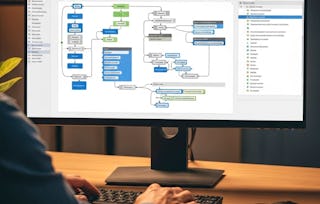
By the end of this course, learners will be able to install TIBCO BusinessWorks (BW), configure its environment, apply application properties, create and manage variables, and design looping structures for dynamic workflows. They will also be able to demonstrate JMS messaging integration by sending and receiving messages across queues and execute end-to-end processes that leverage variables and loops effectively.
This course benefits learners by providing hands-on experience through step-by-step labs, ensuring they not only understand concepts but can also apply them in real-world integration projects. Whether new to TIBCO BW or looking to strengthen practical skills, learners will gain confidence in building scalable, flexible, and reusable solutions.
What makes this course unique is its structured progression from foundational installation to advanced process automation, combining theory with lab-based practice. The modular design, practice quizzes, and graded assessments ensure measurable learning outcomes, while SEO-friendly objectives enhance clarity and focus. Learners will walk away with the ability to analyze, design, and implement integration solutions using TIBCO BW with industry-aligned best practices.
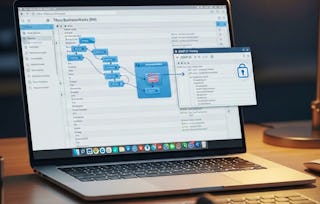
This module introduces learners to TIBCO BusinessWorks (BW) fundamentals, covering installation, environment setup, and the basics of JMS palettes. By the end of this module, learners will be able to install BW, configure it correctly, and explore how JMS facilitates enterprise messaging integration.
What's included
8 videos4 assignments
Show info about module content
8 videos•Total 64 minutes
Introduction to Project•8 minutes
Installation Part 1•7 minutes
Installation Part 2•7 minutes
Installation Part 3•6 minutes
Installation Part 4•6 minutes
JMS Palettes LAB Part 1•10 minutes
JMS Palettes LAB Part 2•10 minutes
JMS Palettes LAB Part 3•9 minutes
4 assignments•Total 60 minutes
Kickoff and Setup•10 minutes
Completing the Installation•10 minutes
Exploring JMS Palettes•10 minutes
Graded - Getting Started with TIBCO BW•30 minutes
Mastering Variables and Loops
Module 2•3 hours to complete
Module details
This module dives into advanced BW development concepts, focusing on variables, properties, and looping structures. Through theory and lab-based practice, learners will build dynamic workflows by applying variables, grouping them logically, and implementing loops for efficient process execution.
What's included
9 videos4 assignments
Show info about module content
9 videos•Total 65 minutes
What is a Variable and Loops•7 minutes
Application Property•6 minutes
Variables Group•8 minutes
Variables and Loops-LAB Part 1•9 minutes
Variables and Loops-LAB Part 2•6 minutes
Variables and Loops-LAB Part 3•5 minutes
Variables and Loops-LAB Part 4•7 minutes
Variables and Loops-LAB Part 5•7 minutes
Variables and Loops-LAB Part 6•9 minutes
4 assignments•Total 60 minutes
Core Concepts•10 minutes
Hands-On with Variables and Loops (Part 1)•10 minutes
Hands-On with Variables and Loops (Part 2)•10 minutes
Graded - Mastering Variables and Loops•30 minutes
Earn a career certificate
Add this credential to your LinkedIn profile, resume, or CV. Share it on social media and in your performance review.
Welcome to EDUCBA, a place where knowledge is limitless! We provide a wide selection of instructive and engaging programmes designed to empower students of all ages and experiences. From the convenience of your home, start a revolutionary educational experience with our cutting-edge technologies courses and experienced instructors.
When will I have access to the lectures and assignments?
To access the course materials, assignments and to earn a Certificate, you will need to purchase the Certificate experience when you enroll in a course. You can try a Free Trial instead, or apply for Financial Aid. The course may offer 'Full Course, No Certificate' instead. This option lets you see all course materials, submit required assessments, and get a final grade. This also means that you will not be able to purchase a Certificate experience.
What will I get if I subscribe to this Specialization?
When you enroll in the course, you get access to all of the courses in the Specialization, and you earn a certificate when you complete the work. Your electronic Certificate will be added to your Accomplishments page - from there, you can print your Certificate or add it to your LinkedIn profile.
Is financial aid available?
Yes. In select learning programs, you can apply for financial aid or a scholarship if you can’t afford the enrollment fee. If fin aid or scholarship is available for your learning program selection, you’ll find a link to apply on the description page.