MM
Reviewed Oct 23, 2025
I especially liked how the instructor connected Excel tools to business decision-making. Very professional and useful.
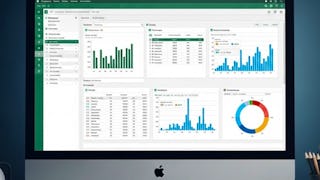
This specialization takes learners on a complete journey from mastering the fundamentals of Microsoft Excel to applying advanced analytical techniques and building interactive dashboards. You will begin by developing confidence with formulas, functions, and core operations before advancing to PivotTables, advanced charting, and automation with macros. Designed for professionals, analysts, and business learners, this program equips you with industry-relevant Excel skills to manage data efficiently, analyze large datasets, and communicate insights with clarity.
MM
I especially liked how the instructor connected Excel tools to business decision-making. Very professional and useful.
SC
I can now automate reports and perform analytics easily thanks to this course.
OK
The best course I’ve taken in years ,The instructor’s expertise really shows, and the lessons were both interesting and useful.
NN
Great for beginners and also helpful for anyone wanting to refresh and improve their data-analysis skills quickly.
VR
This course transformed my Excel skills — analytics feels easy and powerful now!
AJ
This course was easy to understand and very informative.
RC
I finally understand how to use charts and PivotTables effectively.
KM
I gained confidence in solving complex data problems using Excel after completing this course.
PT
This course helped me improve fast! Very well structured and engaging I can already apply what I learned.
MK
I now use Excel charts and pivot tables daily at work. The course made complex functions easy to understand.
RG
The modules on XLOOKUP and complex conditional formatting were particularly useful. A highly polished and relevant course.
SK
Outstanding instruction and great content I would recommend this to anyone wanting to grow their skills.
Showing: 20 of 39
Some modules feel information-heavy (especially advanced formulas), but pausing or rewatching solves that.
This course completely changed how I handle our monthly sales reports. The PivotTable section was a game-changer; I can now analyze campaign data in minutes instead of hours. The step-by-step approach made complex functions like VLOOKUP easy to understand. I finally feel confident creating professional-looking dashboards for my team. Highly recommended for anyone who wants to move beyond basic Excel.
As a new graduate, I was worried about my Excel skills for job applications. This beginner-friendly course was perfect. It starts from the absolute basics, which built my confidence. The hands-on examples on formatting and formulas were incredibly practical. I've already used these skills in my internship and it's made a noticeable difference. A fantastic foundation for starting any career.
I needed to get a better grip on my business finances. The module on logical functions and conditional calculations was exactly what I needed to automate my expense tracking. The instructor’s practical approach, focusing on real-world scenarios, helped me apply the lessons immediately. My decision-making is now much more data-driven. Worth every penny.
I thought I knew Excel, but this course showed me how much I was missing. The advanced data management tools, especially working with tables and slicers, have streamlined my workflow. The error-handling strategies have saved me so much time troubleshooting. It bridges the gap between academic knowledge and the practical skills needed in a real job.
This course was a game-changer! I started with zero Excel skills, and now I can create formulas and PivotTables like a pro. The step-by-step lessons were easy to follow, and the exercises helped me practice what I learned. I feel confident using Excel for my college projects now!
I’ve taken a few Excel classes before, but this one really stood out for how practical it was. The instructor walks you through real-world examples, from cleaning messy data to building charts that actually tell a story. It’s boosted my productivity at work.
I loved how beginner-friendly this course was. The instructor explained everything clearly, from navigating Excel to making charts. The hands-on examples were super helpful, and I’m already using PivotTables for my internship. Highly recommend it!
This course is perfect for anyone starting with Excel. The lessons on formatting and creating charts were my favorite. I used what I learned to make a report for my boss, and he was impressed! The practical examples made all the difference.
This course is a must for anyone who wants to master Excel. I learned how to automate tasks with formulas and present data with charts. The hands-on exercises were great for practicing. I feel much more confident now.
The course was so well-structured! I learned how to manage data and create professional-looking charts. The exercises were practical, and I could follow along easily. Now I feel ready to tackle any Excel task at work.
The course was so well-structured! I learned how to manage data and create professional-looking charts. The exercises were practical, and I could follow along easily. Now I feel ready to tackle any Excel task at work
I never thought Excel could be this fun! The course starts simple but builds up to advanced stuff like PivotTables. The real-world scenarios helped me see how I can use Excel in my job. Totally worth my time.
I never thought Excel could be this fun! The course starts simple but builds up to advanced stuff like PivotTables. The real-world scenarios helped me see how I can use Excel in my job. Totally worth my time.
A few learners mention advanced formulas and data management topics feel dense at first, but pausing and revisiting lessons makes it manageable.
I really liked how it starts with the basics and gradually moves into advanced concepts like data analysis, pivot tables, and visualizations.
The course starts from basic navigation and formatting and moves into analyzing and visualizing data without throwing you in too fast.
I actually enjoy analyzing data and creating dashboards. The explanations were simple yet detailed. I highly recommend it!
I especially liked how the instructor connected Excel tools to business decision-making. Very professional and useful.
I now use Excel charts and pivot tables daily at work. The course made complex functions easy to understand.