SH
Reviewed Aug 10, 2023
very good experience for mastering computer made designs

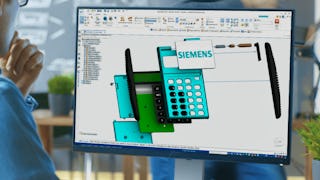
The Introduction to Siemens Solid Edge software will enable you to learn basic design concepts in both 2D and 3D environments using Computer-Aided Design (CAD) software. The concepts include 2D sketches, basic shapes, 3D models, and simple assemblies. You’ll gain experience using commands such as extrude, revolve, rounds, blend, and thinwall to more efficiently design solid models. Additionally, you’ll learn about drafting concepts such as detailing, drawing view, section cuts, and design intent. Finally, you will learn how to rapidly edit CAD files imported from other software applications. This course provides an introduction to Solid Edge that will also help you to prepare for the Solid Edge Mechanical Associate certification exam. At the end of the course, you should be able to: -Identify key Solid Edge Features. -Recognize key principles of design with Solid Edge. -Perform basic modeling concepts such as sketching, basic shapes, geometric relationships, and constraint. -Identify basic 3D modeling concepts as well as best practices for more efficient modeling using concepts such as extrude, revolve, rounds, blend, and Thin Wall. -Increase proficiency using Solid Edge features such as command finder, design intent, sketch plane, loft, and pattern features. -Use essential skills for building and working with assemblies, such as how to open parts from assemblies, place paths, align, add motion, and work with assembly relationships. -Identify how to edit in different Solid Edge environments such as drafting and increase efficiency working with imported data from other CAD software applications. -Practice and prepare for the Solid Edge Associate Level Certification Exam. This course has no formal prerequisites. Anybody with an interest in learning to use CAD software can take this course. To successfully complete this course, you will download a free version of Solid Edge software and utilize the course files provided.
SH
very good experience for mastering computer made designs
CS
First I thankful to coursera and Siemens giving this beautiful course. This course is help to everyone who want learn solid edge basics.
DR
It is a very good course for begineers to get hands on to the Software and learn the modeling, assembly and various tools.
AS
very detailed video lectures, can master all the basics with this course.thank you coursera
TT
A couple of files were missing from the learning files
Showing: 19 of 22
I highly recommend the Introduction to Siemens Solid Edge course on Coursera. It provided me with a solid foundation in using CAD software for design purposes. The course covered key Solid Edge features, basic modeling techniques, and drafting concepts in a clear and organized manner.
The course materials were comprehensive and well-presented, allowing me to easily grasp the concepts and follow along. The instructor's knowledge and expertise in Solid Edge were evident, making the learning experience enjoyable and informative.
Absolutely Wonderful this course is and I'd like to take this into much deeper courses if available and Thanks to
Muhammad Sajjad, my instructor. :-) delighted after gaining knowledge from this course.
First I thankful to coursera and Siemens giving this beautiful course. This course is help to everyone who want learn solid edge basics.
It is a very good course for begineers to get hands on to the Software and learn the modeling, assembly and various tools.
very detailed video lectures, can master all the basics with this course.
thank you coursera
An excellent course for learning SolidEdge from the basics.
very good experience for mastering computer made designs
I have completed this course. It's very helpful to me
Very detailed with lot of examples for practice.
Perfect course to learn Solid Edge.
easy understanding
Very nice course.
Excellent course
Excellent Course
Good
good
A couple of files were missing from the learning files
good
Does not cover some of the questions asked in the examination for Siemens Certificate. Disorganized order of courses. Older version of software used. Some features have completely changed in new version of the software. not worth my 40 euro