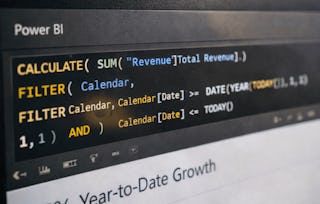
Welcome to Advanced Microsoft Power BI, where you'll embark on a journey to acquire practical expertise in data handling and machine learning which later used to harness the power of Microsoft Power BI for data visualization and decision making skills.
Throughout this course, you'll explore the industry-specific applications of Power BI and use advanced Power BI features. By the end of this course, you will be able to:
- Create data models to support advanced visualization and analytical requirements in Power BI.
- Explain the significance of data transformation processes within Power BI for accurate reporting.
- Discuss the role of scorecards and binary prediction models in tracking business performance.
- Analyze advanced features in Power BI Service, including cognitive services and machine learning integration.
This course is designed for a diverse audience: Freshers, Project managers, Business Analysts, and IT professionals who are looking to enhance their skills in Power BI.
Prior experience with MS Excel, RDBMS applications, Power BI and charts can be beneficial
Embark on an educational voyage to master Power BI and enhance your skills in creating efficient reports and dashboards within the Power BI ecosystem.
Welcome to Advanced Microsoft Power BI. In this course, we will learn some advanced features of Power BI covering cognitive services and machine learning concepts. Create scorecards to manage and assign metrics with timelines to track them against key business objectives.
Edureka is an online education platform focused on delivering high-quality learning to working professionals. We have the
highest course completion rate in the industry and we strive to create an online ecosystem for our global learners to equip
themselves with industry-relevant skills in today’s cutting edge technologies.
"To be able to take courses at my own pace and rhythm has been an amazing experience. I can learn whenever it fits my schedule and mood."
Jennifer J.
Learner since 2020
"I directly applied the concepts and skills I learned from my courses to an exciting new project at work."
Larry W.
Learner since 2021
"When I need courses on topics that my university doesn't offer, Coursera is one of the best places to go."
Chaitanya A.
"Learning isn't just about being better at your job: it's so much more than that. Coursera allows me to learn without limits."
Learner reviews
4.5
104 reviews
5 stars
64.42%
4 stars
24.03%
3 stars
9.61%
2 stars
0%
1 star
1.92%
Showing 3 of 104
M
MA
5·
Reviewed on Nov 12, 2024
The tutorials were explained in a very clear and easy-to-understand way.
S
SS
4·
Reviewed on Oct 15, 2024
Module for Scorecard and Binary Prediction could be more real time application oriented
S
SS
5·
Reviewed on Oct 29, 2025
"Excellent Power BI training session! The content was incredibly valuable, and the trainer was highly knowledgeable and engaging. A fantastic use of time."
Power BI is a Business Intelligence (BI) tool developed by Microsoft. It is used for data analysis, visualization, and sharing insights from various sources. Power BI allows users to connect to multiple data sources, including databases, spreadsheets, cloud services, and online data sources, and then transform and model the data to create interactive reports and dashboards. Most of the time, these stories are designed to follow as data interweaves between rich visual formats and insights.
What advanced features of Power BI is covered in this course?
This course covers data transformation techniques, the creation and publishing of dashboards, and the utilization of AI metrics prevalent in Power BI Service such as Q&A. Learners will also work with scorecards and binary prediction models.
Who is this advanced Power BI course designed for?
Designed for freshers, project managers, business analysts, and IT professionals aiming to advance their Power BI expertise.
What software and system requirements are needed for Power BI Desktop?
A computer running Windows 10/11, with at least 4 GB RAM (8 GB recommended), a 64-bit operating system, and the latest version of Power BI Desktop installed.
Is a Power BI Pro license required to complete the course?
No. If necessary for publishing, sharing, or collaboration, a free trial of Power BI Pro can be utilized.
What is the estimated time to complete this advanced course?
The course can be completed in approximately one week with a commitment of 3 hours per week.
What are the prerequisites for enrolling in this course?
Learners should have a basic understanding of data analysis principles and familiarity with core Power BI functionalities.
What career opportunities does this course support?
Learners can pursue careers as Business Intelligence Developers, Data Analysts, Reporting Specialists, or Data Visualization Experts.
When will I have access to the lectures and assignments?
To access the course materials, assignments and to earn a Certificate, you will need to purchase the Certificate experience when you enroll in a course. You can try a Free Trial instead, or apply for Financial Aid. The course may offer 'Full Course, No Certificate' instead. This option lets you see all course materials, submit required assessments, and get a final grade. This also means that you will not be able to purchase a Certificate experience.
What will I get if I purchase the Certificate?
When you purchase a Certificate you get access to all course materials, including graded assignments. Upon completing the course, your electronic Certificate will be added to your Accomplishments page - from there, you can print your Certificate or add it to your LinkedIn profile.
Is financial aid available?
Yes. In select learning programs, you can apply for financial aid or a scholarship if you can’t afford the enrollment fee. If fin aid or scholarship is available for your learning program selection, you’ll find a link to apply on the description page.