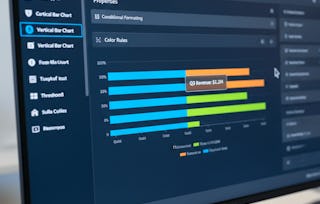
By the end of this course, learners will be able to analyze real-world datasets, apply AWS QuickSight features, design effective data visualizations, and build interactive, insight-driven dashboards for business reporting.
This hands-on course guides learners through a complete AWS QuickSight case study focused on creating a Covid-19 dashboard, helping them move from raw data to polished, shareable analytics solutions. Learners will gain practical experience navigating the AWS Management Console, working with datasets and fields, applying filters, selecting appropriate chart types, and using advanced features such as conditional formatting, multiple sheets, and themes.
What makes this course unique is its end-to-end, project-based approach. Instead of learning isolated features, learners follow a structured workflow that mirrors real-world business intelligence projects. Each step is demonstrated in sequence, ensuring clarity, continuity, and practical relevance.
By completing this course, learners will strengthen their data visualization skills, improve analytical thinking, and build confidence in using AWS QuickSight to communicate insights effectively. This course is ideal for aspiring data analysts, BI professionals, and cloud practitioners who want job-ready, applied experience with AWS analytics tools.
This module introduces learners to AWS QuickSight through a hands-on Covid-19 case study, focusing on project setup, data analysis fundamentals, and core visualization concepts required to build meaningful business intelligence dashboards.
What's included
9 videos4 assignments
Show info about module content
9 videos•Total 52 minutes
Introduction to Project•5 minutes
AWS Management Console•5 minutes
Analysis•1 minute
Feature of Quill Sight•3 minutes
Dataset•9 minutes
Fields List•9 minutes
Edit Filter•3 minutes
Line Graph Visualize•8 minutes
3 Types of Charts Visual•8 minutes
4 assignments•Total 60 minutes
Project Kickoff & QuickSight Basics•10 minutes
Exploring QuickSight & Data Structure•10 minutes
Filtering & Visual Foundations•10 minutes
Foundations of AWS QuickSight for Real-World Analytics•30 minutes
Building Insightful & Interactive Dashboards
Module 2•3 hours to complete
Module details
This module focuses on transforming analyses into polished, interactive dashboards by using advanced visuals, formatting techniques, dashboard workflows, and best practices for presenting insights effectively in AWS QuickSight.
What's included
9 videos4 assignments
Show info about module content
9 videos•Total 62 minutes
Types of Table Visualize•11 minutes
Conditional Formatting•10 minutes
Multiple Sheets•6 minutes
How to Create Dashboard•7 minutes
How to Create Dashboard Continue•6 minutes
How to use Themes•6 minutes
Creating Dashboard•4 minutes
Creating Dashboard Continue•9 minutes
Conclusion•3 minutes
4 assignments•Total 60 minutes
Advanced Visuals & Formatting•10 minutes
Dashboard Creation Workflow•10 minutes
Final Dashboard & Project Wrap-Up•10 minutes
Building Insightful & Interactive Dashboards•30 minutes
Welcome to EDUCBA, a place where knowledge is limitless! We provide a wide selection of instructive and engaging programmes designed to empower students of all ages and experiences. From the convenience of your home, start a revolutionary educational experience with our cutting-edge technologies courses and experienced instructors.
When will I have access to the lectures and assignments?
To access the course materials, assignments and to earn a Certificate, you will need to purchase the Certificate experience when you enroll in a course. You can try a Free Trial instead, or apply for Financial Aid. The course may offer 'Full Course, No Certificate' instead. This option lets you see all course materials, submit required assessments, and get a final grade. This also means that you will not be able to purchase a Certificate experience.
What will I get if I purchase the Certificate?
When you purchase a Certificate you get access to all course materials, including graded assignments. Upon completing the course, your electronic Certificate will be added to your Accomplishments page - from there, you can print your Certificate or add it to your LinkedIn profile.
Is financial aid available?
Yes. In select learning programs, you can apply for financial aid or a scholarship if you can’t afford the enrollment fee. If fin aid or scholarship is available for your learning program selection, you’ll find a link to apply on the description page.