When you enroll in this course, you'll also be enrolled in this Specialization.
Learn new concepts from industry experts
Gain a foundational understanding of a subject or tool
Develop job-relevant skills with hands-on projects
Earn a shareable career certificate
There are 4 modules in this course
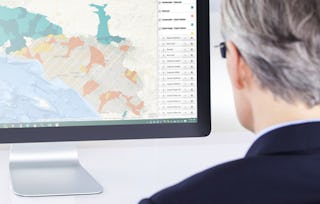
Apply your GIS knowledge in this course on geospatial analysis, focusing on analysis tools, 3D data, working with rasters, projections, and environment variables. Through all four weeks of this course, we'll work through a project together - something unique to this course - from project conception, through data retrieval, initial data management and processing, and finally to our analysis products.
In this class you will learn the fundamentals of geospatial and environmental analysis during four week-long modules:
Week 1: How to represent spatial data and analyze spatial relationships using ArcGIS Pro
Week 2: Conduct Network-Based Analysis
Week 3: Demonstrate Heatmaps and Hotspot Analysis in ArcGIS Pro
Week 4: Expand your knowledge of data storytelling. Learn how to visually display your data and sharing your maps in ArcGIS Online.
Take Geospatial Analysis with ArcGIS as a standalone course or as part of the Geographic Information Systems (GIS) Specialization. You should have equivalent experience to completing the first and second courses in this specialization, "Fundamentals of GIS" and "GIS Data Formats, Design, and Quality", before taking this course. By completing this third class in the Specialization you will gain the skills needed to succeed in the full program.
After this module, you will be able to explain what geospatial analysis is and describe the geospatial analysis tool available for use in ArcGIS Pro formats, and the use cases for each. You will be able to demonstrate how to convert between different vector data types using ArcGIS Pro and describe what coordinate systems and projection systems are, and be able to compare and contrast different projection systems. You will compare and contrast different types of spatial relationships that can help answer "where" questions and demonstrate how to use the polygon neighbors tool to conduct an adjacency analysis. You'll be able to analyze the amount of overlap between spatial datasets using the select by location and summarize within tools in ArcGIS Pro, as well as analyze how near and far apart features are using the buffer and near tools in ArcGIS Pro. Finally, you'll be able to explain the process of creating a project proposal for a GIS-based project.
Site Suitability Analysis Using Buffers•60 minutes
1 assignment•Total 30 minutes
Module 1 Quiz•30 minutes
3 discussion prompts•Total 30 minutes
Learning Goals•10 minutes
Self-Reflection•10 minutes
Site Suitability Analysis Using Buffer•10 minutes
Network Analysis
Module 2•2 hours to complete
Module details
After this module, you will be able to describe what extensions are in ArcGIS Pro and recognize what additional geospatial analysis tools can be accessed using extensions. You will be able to differentiate what types of analyses can be run using the network analyst extension. You'll be able to create a network dataset and be able to explain the inputs required to run a network analysis. You will conduct a routing analysis using ArcGIS Pro and the Network Analyst extension and apply a routing-based service analysis to explore what features are accessible within a specified travel time.
What's included
6 videos1 reading1 assignment1 discussion prompt
Show info about module content
6 videos•Total 49 minutes
Introduction to Network Based Analysis•3 minutes
Network Based Analysis Overview•6 minutes
Create Network Dataset•10 minutes
Shortest Path Analysis•13 minutes
Closest Facility Analysis•8 minutes
Service Area Analysis•8 minutes
1 reading•Total 60 minutes
Site Suitability Analysis Using a Network-Based Service Area Analysis•60 minutes
1 assignment•Total 20 minutes
Module 2 Quiz•20 minutes
1 discussion prompt•Total 10 minutes
Site Suitability Analysis Using a Network-Based Service Area Analysis•10 minutes
Heatmaps and Hotspot Analysis
Module 3•3 hours to complete
Module details
After this module, you will be able to describe what interpolation is, and how it can be used in geospatial analysis. You will be able to demonstrate how to create raster surfaces from point data and describe what environmental variables are and how they can control the outputs of some spatial analysis tools. You'll be able to use the raster calculation and reclassification tools to prepare raster datasets for analysis and demonstrate how to use the zonal statistics tool to summarize raster datasets by specific geographic areas. You'll be able to describe pattern and clustering analysis methods available in ArcGIS Pro and use the spatial statistics tools to analyze spatial patterns. You will be able to apply the geographic distribution tools to understand the spatial shape and orientation of features and finally use the cluster analysis tools to identify and map clusters of features in ArcGIS Pro.
What's included
9 videos1 reading1 assignment1 discussion prompt
Show info about module content
9 videos•Total 83 minutes
Introduction to Heat Maps and Hot Spots Analysis•4 minutes
Raster Analysis - Surface and Interpolation•11 minutes
Interpolation - Part 1•11 minutes
Interpolation - Part 2•13 minutes
Spatial Pattern Analysis•8 minutes
Spatial Autocorrelation•13 minutes
Hot Spot Analysis•6 minutes
Median Center•7 minutes
Neighborhood Summary Stats•11 minutes
1 reading•Total 60 minutes
Site Suitability Analysis Using Kernel Density Estimation•60 minutes
1 assignment•Total 30 minutes
Module 3 Quiz•30 minutes
1 discussion prompt•Total 10 minutes
Site Suitability Analysis Using Kernel Density Estimation•10 minutes
Data Storytelling Using ArcGIS Online
Module 4•3 hours to complete
Module details
After this module, you will be able to describe how to make maps that support effect data storytelling and demonstrate how to create charts and graphs in ArcGIS Pro. You will be able to describe when it is appropriate to use a map, a table, or a chart. You will be able to describe what a StoryMap is and why it is a useful storytelling tool. Finally, you'll be able to demonstrate how to publish layers and maps from ArcGIS Pro to ArcGIS Online.
UC Davis, one of the nation’s top-ranked research universities, is a global leader in agriculture, veterinary medicine, sustainability, environmental and biological sciences, and technology. With four colleges and six professional schools, UC Davis and its students and alumni are known for their academic excellence, meaningful public service and profound international impact.
When will I have access to the lectures and assignments?
To access the course materials, assignments and to earn a Certificate, you will need to purchase the Certificate experience when you enroll in a course. You can try a Free Trial instead, or apply for Financial Aid. The course may offer 'Full Course, No Certificate' instead. This option lets you see all course materials, submit required assessments, and get a final grade. This also means that you will not be able to purchase a Certificate experience.
What will I get if I subscribe to this Specialization?
When you enroll in the course, you get access to all of the courses in the Specialization, and you earn a certificate when you complete the work. Your electronic Certificate will be added to your Accomplishments page - from there, you can print your Certificate or add it to your LinkedIn profile.
Is financial aid available?
Yes. In select learning programs, you can apply for financial aid or a scholarship if you can’t afford the enrollment fee. If fin aid or scholarship is available for your learning program selection, you’ll find a link to apply on the description page.