When you enroll in this course, you'll also be enrolled in this Specialization.
Learn new concepts from industry experts
Gain a foundational understanding of a subject or tool
Develop job-relevant skills with hands-on projects
Earn a shareable career certificate
There are 5 modules in this course
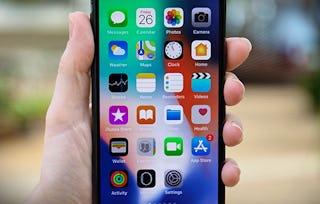
iOS App Development Basics, the second course in the iOS App Development with Swift specialization, expands your programming skills and applies them to authentic app development projects. The topics covered in this course include Xcode basics, Core iOS and Cocoa Touch frameworks, simple user interface creation, MVC Architecture and much more. With a focus on using Appleās components to access sensors like camera, microphone and GPS, by the end of this course you will be able to create a basic App according to specified parameters and guidelines.
Currently this course is taught using Swift 2. The team is aware of the release of Swift 3 and will be making edits to the course in time. Please be aware that at this time the instruction is entirely with Swift 2.
What's included
1 video2 readings
Show info about module content
1 videoā¢Total 1 minute
Introducing Mixitā¢1 minute
2 readingsā¢Total 20 minutes
Welcome to iOS App Development Basicsā¢10 minutes
Mixit Appā¢10 minutes
Further Introduction to XCode
Module 2ā¢1 hour to complete
Module details
In this unit we will describe basic functions of XCode and other tools. Within a guided tutorial process, create a simple app from beginning through to compilation that runs on a device.
What's included
4 videos1 reading1 assignment
Show info about module content
4 videosā¢Total 33 minutes
Course 2 Introductionā¢3 minutes
Running Code in an Appā¢12 minutes
Creating Interfacesā¢8 minutes
Using Buttonsā¢9 minutes
1 readingā¢Total 10 minutes
RGBAImage Class for Moving Forwardā¢10 minutes
1 assignmentā¢Total 30 minutes
Further XCode Unit Quiz (For Grades)ā¢30 minutes
UIKit and the Interface Builder
Module 3ā¢1 hour to complete
Module details
Here we dive into layouts and some user interface elements.
What's included
7 videos1 assignment
Show info about module content
7 videosā¢Total 46 minutes
Intro to Auto Layoutā¢2 minutes
Beginning Auto Layoutā¢9 minutes
In-Depth Auto Layoutā¢12 minutes
Intro to UI Elementsā¢1 minute
Basic UI Elementsā¢10 minutes
Intro to UIStackViewā¢1 minute
UIStackViewā¢11 minutes
1 assignmentā¢Total 30 minutes
UIKit Unit Quiz (For Grades)ā¢30 minutes
Advanced UI Concepts
Module 4ā¢2 hours to complete
Module details
Here we begin to really add elegance to our UI
What's included
5 videos1 assignment
Show info about module content
5 videosā¢Total 66 minutes
Modifying the View Hiearchy in Codeā¢18 minutes
Basic Animationsā¢9 minutes
Tableviews and The Delegate Patternā¢17 minutes
Intro to Camera and Emailingā¢2 minutes
Action Sheet, Image Picker and Activity Controllerā¢19 minutes
1 assignmentā¢Total 30 minutes
Advanced UI Unit Quiz (For Grades)ā¢30 minutes
Final Peer Assignment - App Functionality
Module 5ā¢1 hour to complete
Module details
At this point we have written the basic user interface for our image filtering app. In this assignment you will implement remaining functionality, and then extend and refine the UI. For bonus marks you can try implementing a more advanced filter selection UI using the UICollectionView API.
What's included
1 video2 readings1 peer review
Show info about module content
1 videoā¢Total 2 minutes
Course 2 Closing Remarksā¢2 minutes
2 readingsā¢Total 20 minutes
Read First: Full Instructionsā¢10 minutes
Starter Code Download for Peer Assessmentā¢10 minutes
1 peer reviewā¢Total 60 minutes
App Functionalityā¢60 minutes
Earn a career certificate
Add this credential to your LinkedIn profile, resume, or CV. Share it on social media and in your performance review.
Instructor
Instructor ratings
Instructor ratings
We asked all learners to give feedback on our instructors based on the quality of their teaching style.
Established in 1827, the University of Toronto is one of the worldās leading universities, renowned for its excellence in teaching, research, innovation and entrepreneurship, as well as its impact on economic prosperity and social well-being around the globe.
"To be able to take courses at my own pace and rhythm has been an amazing experience. I can learn whenever it fits my schedule and mood."
Jennifer J.
Learner since 2020
"I directly applied the concepts and skills I learned from my courses to an exciting new project at work."
Larry W.
Learner since 2021
"When I need courses on topics that my university doesn't offer, Coursera is one of the best places to go."
Chaitanya A.
"Learning isn't just about being better at your job: it's so much more than that. Coursera allows me to learn without limits."
Learner reviews
4.2
552 reviews
5 stars
57.06%
4 stars
24.63%
3 stars
9.42%
2 stars
2.53%
1 star
6.34%
Showing 3 of 552
A
AC
5Ā·
Reviewed on Jul 6, 2016
This course is the very basics of interface building in iOS, requires lots of self-study as the lectures do not dig deep enough and prior knowledge of Swift.
N
NH
5Ā·
Reviewed on Nov 4, 2016
Thank you for your course. After this course I handled more knowledge about UI in Xcode and interactive between element UI. Best regard.
A
AS
4Ā·
Reviewed on Jul 21, 2018
Overall course is good. Some parts needs to be explained in more elaborative manner.
When will I have access to the lectures and assignments?
To access the course materials, assignments and to earn a Certificate, you will need to purchase the Certificate experience when you enroll in a course. You can try a Free Trial instead, or apply for Financial Aid. The course may offer 'Full Course, No Certificate' instead. This option lets you see all course materials, submit required assessments, and get a final grade. This also means that you will not be able to purchase a Certificate experience.
What will I get if I subscribe to this Specialization?
When you enroll in the course, you get access to all of the courses in the Specialization, and you earn a certificate when you complete the work. Your electronic Certificate will be added to your Accomplishments page - from there, you can print your Certificate or add it to your LinkedIn profile.
Is financial aid available?
Yes. In select learning programs, you can apply for financial aid or a scholarship if you canāt afford the enrollment fee. If fin aid or scholarship is available for your learning program selection, youāll find a link to apply on the description page.