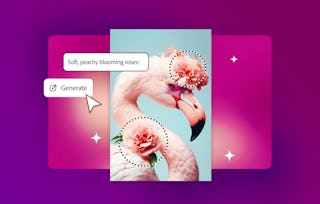
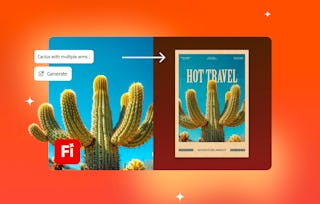
Generative AI is changing the way designers work—turning ideas into visuals faster than ever. In this course, you’ll learn how to use Adobe Illustrator’s AI-powered features to generate artwork, recolor designs, and create patterns directly from text prompts. You’ll start by generating your first vector graphics and understanding how prompts shape creative output. Then, you’ll refine prompts to create custom patterns and explore how AI can assist with recoloring artwork and developing new design variations. Throughout the course, you’ll gain insight into how AI fits within a designer’s creative process, expanding your ideas, saving time, and enhancing originality. By the end, you’ll know how to confidently integrate AI tools into your Illustrator workflow to generate, adjust, and polish professional design projects that reflect both human creativity and machine innovation.
Generative AI may sound futuristic, but in Illustrator it’s already here. This module introduces you to Illustrator’s AI tools and gets you experimenting with your first text-to-vector graphics. You’ll see how prompts can spark creative directions in seconds, expanding the way you think about design.
What's included
2 videos4 readings1 assignment
Show info about module content
2 videos•Total 3 minutes
Welcome to Generative AI in Illustrator•1 minute
Generate artwork from text with Text to Vector Graphic•2 minutes
4 readings•Total 40 minutes
Course outline•10 minutes
Tutorial: Generate artwork with Text to Vector Graphic•10 minutes
Learning Paths and Certifications•10 minutes
Join the Adobe Community•10 minutes
1 assignment•Total 5 minutes
Knowledge check•5 minutes
AI Tools and Prompts
Module 2•1 hour to complete
Module details
This module is all about practice. You’ll explore how Illustrator’s AI responds to different kinds of prompts and experiment with generating patterns and vector artwork. These workflows give you a sense of how to guide AI creatively while keeping your own vision at the center.
What's included
2 videos2 readings1 assignment
Show info about module content
2 videos•Total 10 minutes
Working with prompts •7 minutes
Explore creating stunning patterns with Text to Vector Graphic•3 minutes
2 readings•Total 20 minutes
Using Generative Shape Fill•10 minutes
Tutorial: Create patterns with Text to Vector•10 minutes
1 assignment•Total 5 minutes
Knowledge check•5 minutes
AI Applications with Generative Recolor
Module 3•1 hour to complete
Module details
Now it’s time to put AI to work inside your projects. In this module you’ll use Illustrator’s Generative Recolor to quickly reimagine artwork colors, experiment with palettes, and test design variations. You’ll see how AI can expand your creative choices and save time while still leaving you in control of the final outcome.
What's included
1 video4 readings1 assignment
Show info about module content
1 video•Total 3 minutes
Quickly experiment with color using Generative Recolor in Illustrator•3 minutes
4 readings•Total 40 minutes
Harnessing Generative AI in graphic design•10 minutes
Tutorial: Use brand colors with Generative Recolor•10 minutes
Adobe empowers everyone, everywhere to imagine, create and bring any digital experience to life. Through the Adobe Digital Academy, Adobe aims to equip learners and teachers with AI literacy, content creation and digital marketing skills to help people thrive in the modern workforce. This global initiative builds on Adobe’s commitment to empower learners of all backgrounds to succeed in today’s job market and unleash creativity for all.
When will I have access to the lectures and assignments?
To access the course materials, assignments and to earn a Certificate, you will need to purchase the Certificate experience when you enroll in a course. You can try a Free Trial instead, or apply for Financial Aid. The course may offer 'Full Course, No Certificate' instead. This option lets you see all course materials, submit required assessments, and get a final grade. This also means that you will not be able to purchase a Certificate experience.
What will I get if I purchase the Certificate?
When you purchase a Certificate you get access to all course materials, including graded assignments. Upon completing the course, your electronic Certificate will be added to your Accomplishments page - from there, you can print your Certificate or add it to your LinkedIn profile.
Is financial aid available?
Yes. In select learning programs, you can apply for financial aid or a scholarship if you can’t afford the enrollment fee. If fin aid or scholarship is available for your learning program selection, you’ll find a link to apply on the description page.