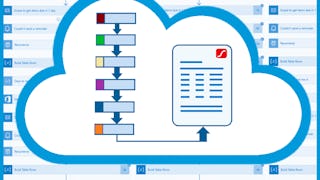
Create PDF Balance Report using HTML, Excel & Power Automate
Every company must create various documents and reports for its accountants every month and employees spend a lot of time creating them manually. For example, when it comes to a monthly balance report, employees must keep a record of all outflows and inflows of money (usually in Excel) and manually create documents and reports that are sent to the accountant for further processing. You can imagine how exhausting and time consuming it is. Thankfully, we can leverage Power Automate functionalities and automate document creation with all needed calculations.
This Guided Project "Create PDF Balance Report using HTML, Excel & Power Automate" is for any business professional who is looking to automate any kind of document or report creation.
In this 1-hour long guided project, you will learn how to use OneDrive, Excel, HTML and Power Automate to automate a monthly balance report creation. You will also create a Power Automate flow to send that report by email. What’s great about Power Automate is that anyone can learn to use it regardless of their educational background!
Since this project uses Power Automate (part of the Microsoft Power Platform), you will need access to a Microsoft account and a Microsoft 365 Developer Program subscription. In the video at the beginning of the project you will be given instructions on how to sign up for both.
If you are ready to make your and your colleagues’ lives easier by starting to automate manual, time-consuming processes which are hard to track, then this project is for you! Let's get started!
Status: Email Automation
Email Automation
Status: Accounting Records
Accounting Records
Intermediate·Guided Project·4 hours
All reviews
Showing: 6 of 6
All Learners
All Stars
Most Helpful
M
MATHANKUMAR S
5.0
·Reviewed Nov 15, 2024
This course provided excellent insights into creating a PDF Balance Report using HTML, Excel and Power Automate. The step-by-step approach was incredibly helpful. Thank you to the instructor and Coursera for offering such a comprehensive and practical learning experience!
C
CABRERA ARMAS JORGE ANDRES
5.0
·Reviewed Dec 14, 2022
If you like HTML you will enjoy this project, In my opinion was interesting involve the us of Excel and Power automate with HTML.