When you enroll in this course, you'll also be enrolled in this Specialization.
Learn new concepts from industry experts
Gain a foundational understanding of a subject or tool
Develop job-relevant skills with hands-on projects
Earn a shareable career certificate
There are 4 modules in this course
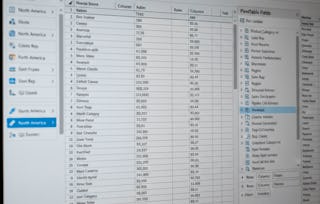
In this course, you will get hands-on instruction of advanced Excel 2013 functions. You’ll learn to use PowerPivot to build databases and data models. We’ll show you how to perform different types of scenario and simulation analysis and you’ll have an opportunity to practice these skills by leveraging some of Excel's built in tools including, solver, data tables, scenario manager and goal seek. In the second half of the course, will cover how to visualize data, tell a story and explore data by reviewing core principles of data visualization and dashboarding. You’ll use Excel to build complex graphs and Power View reports and then start to combine them into dynamic dashboards.
Note: Learners will need PowerPivot to complete some of the exercises. Please use MS Excel 2013 version. If you have other MS Excel versions or a MAC you might not be able to complete all assignments.
This course was created by PricewaterhouseCoopers LLP with an address at 300 Madison Avenue, New York, New York, 10017.
During this first week, you are going to learn about the development of data models and databases. We will cover the components of data sets and the relational database models, database keys, relationships, and joins. We will also look at a tool called PowerPivot that is used to import and prepare data to build relational models, as well as visualize data. By the end of the week, you will have a working knowledge of how to develop a data model.
Be sure to complete lessons in the order in which they are sequenced in the course.
Introduction to the Scenarios Used in this Course•4 minutes
Tao of Excel Recap and Guiding Principles•6 minutes
The Power of Visualization•4 minutes
Introduction to Working with Data Sets•3 minutes
Introduction to the Components of Data Sets and the Relational Database Model•4 minutes
Introduction to Keys and Forming Data Tables•9 minutes
Introduction to Joins•6 minutes
Overview of SQL and Other Database Tools•2 minutes
A Message from our Chief People Officer at PwC•1 minute
PowerPivot: Importing and Preparing Data•3 minutes
Linking Data Tables and Building the Relational Model•10 minutes
Using PowerPivot to Visualize Data•9 minutes
Calculated Fields•12 minutes
Multiple Data Tables and Filters•11 minutes
Week 1 closing•2 minutes
4 readings•Total 105 minutes
Course Overview and Syllabus•10 minutes
Meet the PwC Instructors and Content Developers•10 minutes
Guiding Principles Handout•10 minutes
Week 1 Excel Student Exercise Workbook•75 minutes
1 assignment•Total 20 minutes
Week 1 Quiz•20 minutes
1 discussion prompt•Total 10 minutes
Meet Your Classmates•10 minutes
Advanced Scenario Analysis
Module 2•4 hours to complete
Module details
This week, we are going to explore three different analytical methods used to help model different scenarios and deal with variable uncertainty. These methods are scenario analysis, sensitivity analysis and simulation. We’ll look at what each method is and then go deeper into why and how you use each. Following some guided demonstration, you’ll be given a chance to practice in an Excel workbook and demonstrate what you’ve learned.
This week we are going to focus on data visualization. We will start off by discussing data visualization basics, outlining the theory and concepts behind data visualization. We will also discuss how to enable effective story telling through the correct selection, creation, and presentation of tables and charts. You’ll get a chance to learn how to create detailed graphs and charts to effectively tell a story about your data.
In the final week of this course, you are going to learn how to create a dynamic dashboard. We are going to discuss how to establish a good understanding of your audience and how to collect key requirements in order to determine what type of dashboard to build. We will talk about some guiding design principles and things to consider when building a dashboard. You’ll have a chance to practice everything you learn this week by creating your own functional dashboard in Excel.
What's included
8 videos2 readings1 assignment
Show info about module content
8 videos•Total 72 minutes
Introduction to Week 4•2 minutes
Introduction to Dashboarding•3 minutes
Dashboarding: Beyond the basics•9 minutes
Form Controls and Grouping•15 minutes
Slicers and PowerPivot•11 minutes
Conditional Formatting and KPIs•18 minutes
Dashboard Finalization and Securing the Workbook•11 minutes
With offices in 157 countries and more than 208,000 people, PwC is among the leading professional services networks in the world. Our purpose is to build trust in society and solve important problems. We help organisations and individuals create the value they’re looking for, by delivering quality in assurance, tax and advisory services.
"To be able to take courses at my own pace and rhythm has been an amazing experience. I can learn whenever it fits my schedule and mood."
Jennifer J.
Learner since 2020
"I directly applied the concepts and skills I learned from my courses to an exciting new project at work."
Larry W.
Learner since 2021
"When I need courses on topics that my university doesn't offer, Coursera is one of the best places to go."
Chaitanya A.
"Learning isn't just about being better at your job: it's so much more than that. Coursera allows me to learn without limits."
Learner reviews
4.8
3,006 reviews
5 stars
80.40%
4 stars
16.63%
3 stars
1.96%
2 stars
0.53%
1 star
0.46%
Showing 3 of 3006
N
NT
5·
Reviewed on Jan 30, 2020
Amazing course. I learnt a lot of new things and the ability to practice what i learnt right away and apply it to a business context is what i liked the most from this course.
R
RZ
5·
Reviewed on Mar 22, 2019
This course took me from Basic level knowledge of Excel to a really advanced level. Course practice exercises are developed in a very appropriate way to teach the advanced level.
L
LT
4·
Reviewed on Jan 21, 2018
Very insightful and practical. Lots of different exercises and tools for everyday visualization. Could be somewhat more challenging but learned a whole lot of new tricks and tips. Highly recommended
When will I have access to the lectures and assignments?
To access the course materials, assignments and to earn a Certificate, you will need to purchase the Certificate experience when you enroll in a course. You can try a Free Trial instead, or apply for Financial Aid. The course may offer 'Full Course, No Certificate' instead. This option lets you see all course materials, submit required assessments, and get a final grade. This also means that you will not be able to purchase a Certificate experience.
What will I get if I subscribe to this Specialization?
When you enroll in the course, you get access to all of the courses in the Specialization, and you earn a certificate when you complete the work. Your electronic Certificate will be added to your Accomplishments page - from there, you can print your Certificate or add it to your LinkedIn profile.
Is financial aid available?
Yes. In select learning programs, you can apply for financial aid or a scholarship if you can’t afford the enrollment fee. If fin aid or scholarship is available for your learning program selection, you’ll find a link to apply on the description page.