When you enroll in this course, you'll also be enrolled in this Specialization.
Learn new concepts from industry experts
Gain a foundational understanding of a subject or tool
Develop job-relevant skills with hands-on projects
Earn a shareable career certificate
There are 5 modules in this course
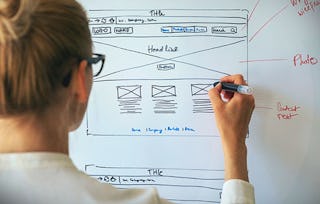
This hands-on course examines how content is organized and structured to create an experience for a user, and what role the designer plays in creating and shaping user experience. You will be led through a condensed process that acts as a roadmap for developing robust UI/UX design: from ideation and sitemapping, to the creation of paper and digital prototypes. Building on the design skills learned in Visual Elements of User Interface Design, you will apply this methodology to produce a digital prototype for a multi-screen app of your own invention.
By the end of this course, you will be able to describe and apply current best practices and conventions in UX design, and employ the fundamental principles of how UX design functions to shape an audience's experience of a given body of content.
This is the second course in the UI/UX Design Specialization, which brings a design-centric approach to user interface (UI) and user experience (UX) design, and offers practical, skill-based instruction centered around a visual communications perspective, rather than on one focused on marketing or programming alone.
These courses are ideal for anyone with some experience in graphic or visual design and who would like to build their skill set in UI or UX for app and web design. It would also be ideal for anyone with experience in front- or back-end web development or human-computer interaction and want to sharpen their visual design and analysis skills for UI or UX.
Welcome! In this first module I will summarize the assignments and expectations of this course.
What's included
2 videos2 readings
Show info about module content
2 videos•Total 3 minutes
Course Introduction•2 minutes
Introducing an Additional Instructor•1 minute
2 readings•Total 13 minutes
About CalArts and the Program in Graphic Design•3 minutes
About this course•10 minutes
Ideation, Articulation, and Development
Module 2•3 hours to complete
Module details
Your assignment at the end of this week is the first stage in a multi-step process towards developing a clickable prototype: coming up with a clearly articulated idea for an app with a specific goal in mind. So this week we will focus on how to articulate and structure your ideas and goals, how to use naming and language as a part of your app’s identity. We will also look at audience research and user centered design.
Goals and Outcomes (for the Client/Designer)•6 minutes
Naming and Mission•12 minutes
Why Peer Review? •2 minutes
Peer Review Tips•4 minutes
How to apply feedback •2 minutes
3 readings•Total 25 minutes
Try it yourself: Analyze an existing app•10 minutes
Try it yourself: Map out the possibilities•10 minutes
What is peer review?•5 minutes
1 assignment•Total 45 minutes
Ideation, Articulation, and Development•45 minutes
1 peer review•Total 60 minutes
An App of my Own•60 minutes
1 discussion prompt•Total 10 minutes
What makes a great user experience for you?•10 minutes
Planning, Testing, Researching, Mapping
Module 3•4 hours to complete
Module details
This week we’re going to continue to develop, plan, and test your app idea. We’ll start by sketching out more extensive content and mapping it into a structure. To test what aspects of your app are working, we’ll look at how to create a non-visual paper prototype and work our way towards a sitemap. While you’re developing the logic of your app, you’ll also begin to develop the look and feel of it: the visual development process.
Defining your app's functions step-by-step•10 minutes
Try it yourself: Non-Visual Prototyping & User Testing•30 minutes
1 assignment•Total 45 minutes
Planning, Testing, Researching, and Mapping•45 minutes
3 peer reviews•Total 100 minutes
Content Map•20 minutes
Interaction Map•20 minutes
Map your App•60 minutes
1 discussion prompt•Total 10 minutes
Define your app's functions•10 minutes
What Goes Where?
Module 4•3 hours to complete
Module details
At this stage in our process we are going to take our site map, look and feel research, and user testing to the next level in order to get a more accurate static prototype. By building a wireframe of our interface, we’ll figure out what goes where, and on which pages, utilizing our user testing information to figure out the hierarchy and structure of our app. This week is about the logic and functionality of our interface, and how it’s actually going to work within the app.
What's included
10 videos1 reading2 assignments1 peer review
Show info about module content
10 videos•Total 49 minutes
Introduction to Week 3•1 minute
Getting real: Wireframes and Interfaces•2 minutes
Nielsen's Usability Heuristics•4 minutes
What goes where? Part 1•2 minutes
What goes where? Part 2•9 minutes
Consistency and Details•7 minutes
Wireframe Map•7 minutes
Visual Direction•5 minutes
Developing UI•5 minutes
Refining UI•8 minutes
1 reading•Total 15 minutes
Try it yourself: Build a wireframe map•15 minutes
2 assignments•Total 75 minutes
Knowledge Check•30 minutes
What Goes Where•45 minutes
1 peer review•Total 60 minutes
Journey to the Surface of the App•60 minutes
Making it by Faking it
Module 5•5 hours to complete
Module details
In this final week of the course, you will be taking your wireframes or app screens and make a simple functioning digital prototype to simulate the experience of interactivity. We’ll be using simple prototyping software to put your static screens into a realistic context, and simulating interaction in order to understand how your app feels, in order to troubleshoot and fix problems. This is the part of the course where all your talents come together! For me this is the most exciting part of UI/UX development, when it all starts to become real and you have a believable prototype in your hands.
What's included
9 videos4 readings1 assignment1 peer review
Show info about module content
9 videos•Total 52 minutes
Introduction to Week 4•1 minute
Making it by faking it•2 minutes
Feeling Real•10 minutes
Additional Prototyping Approaches •8 minutes
Linking Up •7 minutes
Branching Out•7 minutes
Making Pathways•6 minutes
Publish Your Prototype•8 minutes
Design Critique: Example Prototype Submissions •5 minutes
4 readings•Total 40 minutes
Important notes about this week's assignment•2 minutes
This week's demos in Figma•5 minutes
Try it yourself: Create a generic prototype•30 minutes
Next Steps•3 minutes
1 assignment•Total 45 minutes
Making It By Faking It•45 minutes
1 peer review•Total 180 minutes
Create a clickable prototype•180 minutes
Earn a career certificate
Add this credential to your LinkedIn profile, resume, or CV. Share it on social media and in your performance review.
Instructor
Instructor ratings
Instructor ratings
We asked all learners to give feedback on our instructors based on the quality of their teaching style.
CalArts has earned an international reputation as the leading college of the visual and performing arts in the United States. Offering rigorous undergraduate and graduate degree programs through six schools—Art, Critical Studies, Dance, Film/Video, Music, and Theater—CalArts has championed creative excellence, critical reflection, and the development of new forms and expressions.
"To be able to take courses at my own pace and rhythm has been an amazing experience. I can learn whenever it fits my schedule and mood."
Jennifer J.
Learner since 2020
"I directly applied the concepts and skills I learned from my courses to an exciting new project at work."
Larry W.
Learner since 2021
"When I need courses on topics that my university doesn't offer, Coursera is one of the best places to go."
Chaitanya A.
"Learning isn't just about being better at your job: it's so much more than that. Coursera allows me to learn without limits."
Learner reviews
4.8
2,226 reviews
5 stars
84.05%
4 stars
12.62%
3 stars
1.75%
2 stars
0.71%
1 star
0.85%
Showing 3 of 2226
D
DM
5·
Reviewed on Nov 11, 2020
Absolutely loved this course. From start to finish, it's a great overview of UX Design, and the assignments are brilliantly designed to get you started working and actually doing UX Design.
A
AA
5·
Reviewed on Sep 6, 2020
This is an amazing course, It teaches you the technical and theoretical part in detail. Amazing course and a great instructor. This course broadens my horizon.
S
SD
5·
Reviewed on Aug 16, 2020
Very easily interaction of mind eccentric human interaction feeds and understanding of Design & human interface design. I will recommend every UX designer to once get into this course.
When will I have access to the lectures and assignments?
To access the course materials, assignments and to earn a Certificate, you will need to purchase the Certificate experience when you enroll in a course. You can try a Free Trial instead, or apply for Financial Aid. The course may offer 'Full Course, No Certificate' instead. This option lets you see all course materials, submit required assessments, and get a final grade. This also means that you will not be able to purchase a Certificate experience.
What will I get if I subscribe to this Specialization?
When you enroll in the course, you get access to all of the courses in the Specialization, and you earn a certificate when you complete the work. Your electronic Certificate will be added to your Accomplishments page - from there, you can print your Certificate or add it to your LinkedIn profile.
Is financial aid available?
Yes. In select learning programs, you can apply for financial aid or a scholarship if you can’t afford the enrollment fee. If fin aid or scholarship is available for your learning program selection, you’ll find a link to apply on the description page.